Mario's Missing Eyes and Sunshine's White Ocean
Mario was missing his eyes in Super Mario Galaxy for the looooongest time. In Gecko, my GameCube and Wii emulator, the file selection screen looked mostly fine until Mario’s head appeared with 2 fat holes in it.
Then a fix for the file selection menu in Super Mario Sunshine’s save selection screen ended up giving him his eyes back! The connection was how the graphics processor handles numbers that grow beyond the range of a color channel.
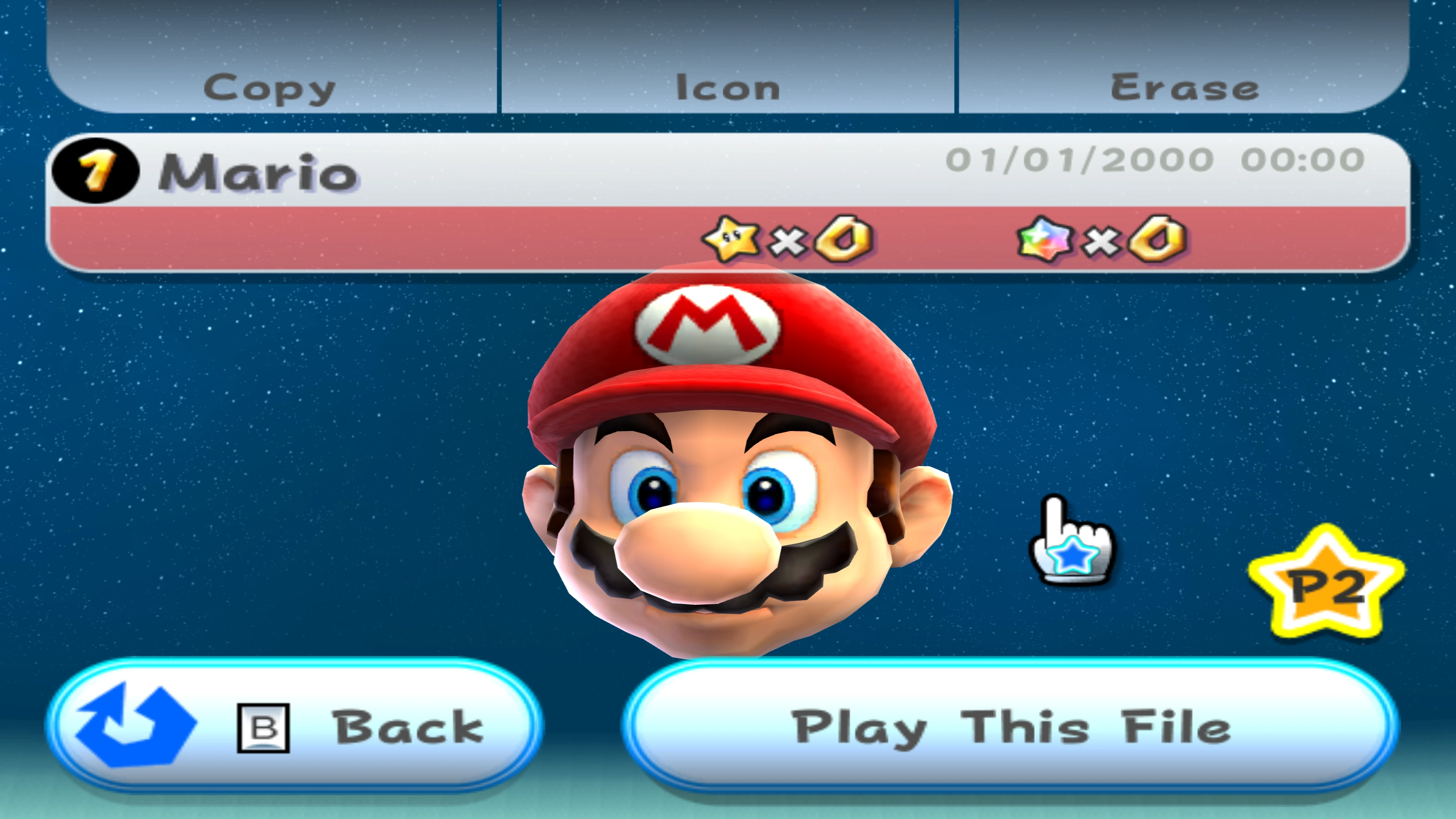
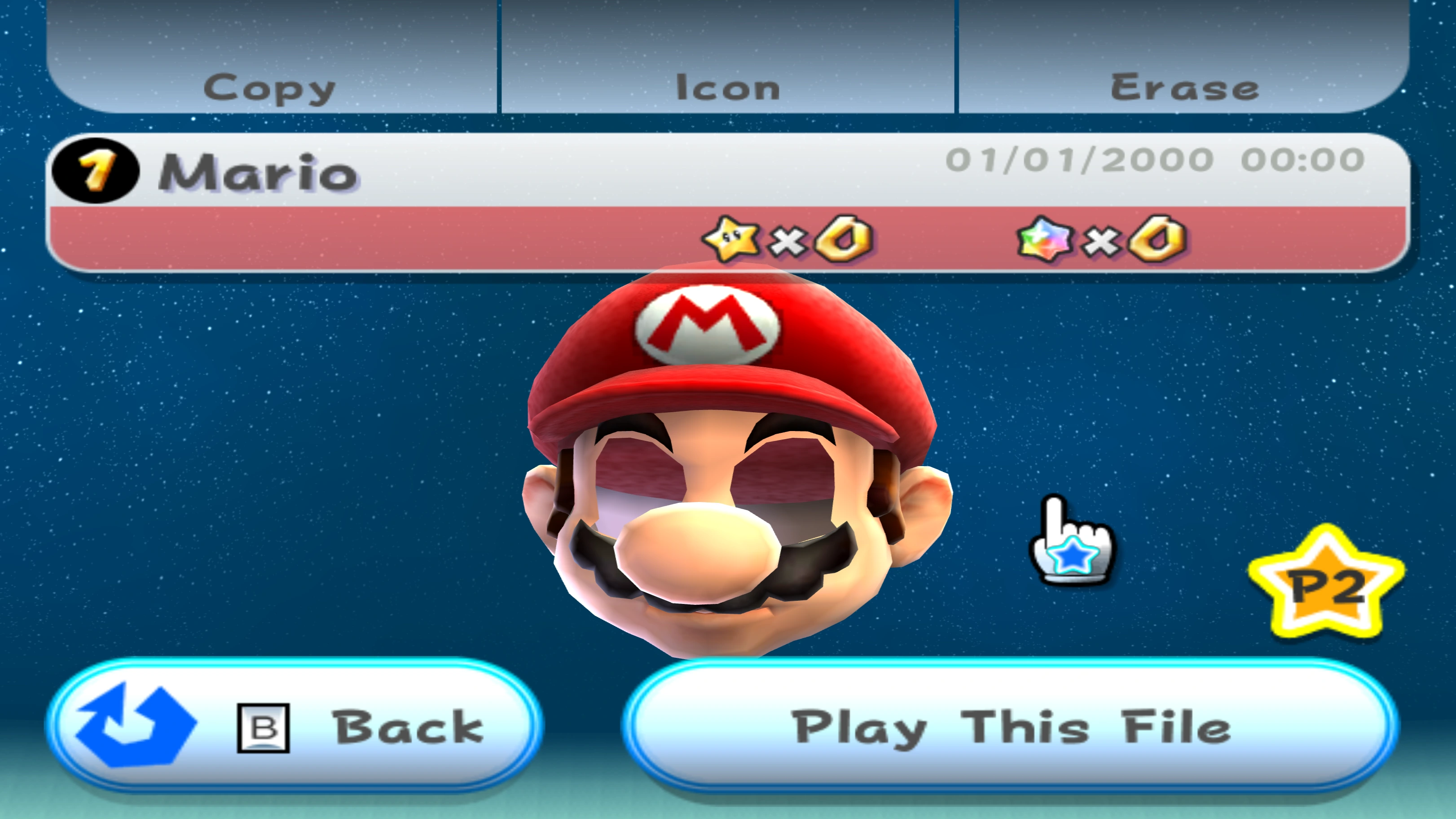
The eyes were still there#
A 3D model is made from triangles. A texture supplies the image painted onto them and a material tells the graphics processor how to combine that image with lighting and other values.
Drawing a triangle produces fragments: candidates for pixels on the screen. A fragment can still be rejected before it changes the image. In this case the triangles were valid, but all their fragments failed a later test.
Here is the actual geometry from the game. Enable Show eye triangles in the Old Gecko view, then switch to Fixed. You can also rotate the head or lift the eye surfaces away from it to inspect them.
Captured game geometry with simplified lighting.
As you can see the eyes are still present in the geometry, but somehow they get rejected!
An opaque texture#
Color textures commonly contain 4 channels: red, green, blue and alpha. Alpha often describes opacity, with 0 meaning transparent and 255 meaning fully opaque in an 8-bit channel.
The open-eye texture is just 64 × 64 texels. A texel is 1 pixel of a texture, before that texture is mapped onto the screen. Every one of its 4’096 texels has alpha 255, so the entire texture is opaque.

Click, tap or drag to inspect a texel.
Select a texel to inspect its color.
All 4'096 texels are fully opaque (alpha 255).
Switch frames to inspect the blink animation.
So the texture itself wasn’t making the eyes transparent. The trouble came from what happened to its alpha during rendering.
Alpha can control an alpha test, which accepts or rejects a fragment, or alpha blending, which mixes its color with the background. This eye material disables blending and uses the test:
Passing means the fragment can draw its color normally. Failing means it draws nothing!
Where the extra alpha comes from#
The GameCube and Wii graphics processors use a Texture Environment unit, or TEV, to combine textures, lighting and saved intermediate results. Thus, the game configures a sequence of small arithmetic stages (as opposed to uploading a fragment shader as you’d do these days).
Each stage can calculate RGB and alpha separately. Alpha also serves as temporary storage: one stage can calculate a value there and another can use it to affect color.
Mario’s eye material uses 3 stages, numbered 0 to 2:
- Stage 0 calculates an intermediate lighting value in alpha.
- Stage 1 uses that value for color, then replaces alpha with 255.
- Stage 2 adds a quarter of the texture alpha and a half bias to that 255. It leaves clamping disabled.
Clamping would restrict the result to a range such as 0-255. With it disabled, TEV can retain a signed intermediate value from -1’024 to 1’023. That is useful for calculations whose final result comes later.
For this opaque texture, the integer quarter contribution rounds to 64 and the half bias is 128. The final stage therefore produces:
Why does the quarter contribution become 64?
The quarter selector is represented as 64 on a scale whose denominator is 256. For this addition, TEV adds 128 before shifting right by 8 bits, which supplies the rounding step. With texture alpha , the contribution is:
That rounding constant and the material’s half bias happen to both be 128, but do different jobs. The bias is added separately to the saved alpha.
447 is a valid intermediate TEV result. It is larger than an 8-bit output channel can hold, so another operation must happen before the alpha test.
Keeping 8 bits#
Here’s the juice: At the end of TEV, the output keeps only the lowest 8 bits. This wraps the result instead of clamping it. In our case, subtracting 1 full range of 256 leaves:
In code this is 447 & 255. The mask 255 has all 8 low bits set to 1, so the AND keeps those bits and discards the rest. You can toggle the bits below or move the slider across 255 to see the wrap.
Clamping 447 would produce 255, whereas wrapping produces 191. Both happen to pass this material’s alpha test, but they are different rules. Try 383: wrapping gives 127, which fails the lower bound, while clamping gives 255, which passes.
That example changes the intermediate number to explain the distinction. The game’s open-eye texture always produces 447.
After wrapping, the game’s actual test succeeds:
Follow the final alpha through the stages below. Turn off the 8-bit conversion to see why keeping a mathematically larger value breaks the picture.
128 ≤ 191 ≤ 255
Both comparisons pass. The eye surface can write its color.
Integer calculation for the captured opaque eye texture.
Where did I go wrong?#
Gecko’s old shader represented colors as floating-point numbers, using 1.0 for fully opaque instead of 255. With that representation, the last eye stage calculated:
It then passed that value directly into the alpha test. The same upper bound, expressed on the 0-1 scale, became:
Every eye fragment failed. The texture upload, the blink animation and the geometry could all be correct and Mario would still have holes in his head.
The upper bound of 255 looks redundant when the test receives an 8-bit value, because such a value can never exceed 255. It stopped being redundant when Gecko let a wider value reach the comparison.
The commit that gave them back#
Commit 14aae5a5c406e0a2e7c83dffa0f2564b984d8d96 fixed this. At the time I wasn’t fully aware if this would fix Super Mario Galaxy as I was actually hunting for a bug in Super Mario Sunshine! I did suspect it as I was already hinted towards this in numerous occasions before, but I just never bothered checking as this solution would not properly fix the problem.
The commit introduces integer arithmetic in the regular combiners, wraps the A/B/C inputs to 8 bits and wraps the final RGB and alpha outputs before testing. The D input keeps its wider value, since that is where the stage can receive a signed intermediate result.
The commit techically concerns various changes, so I tried individual pieces of it on their own. Integer arithmetic alone still leaves 447 going into a test whose upper bound is 255. The decisive change for these eyes is the final alpha conversion, before alpha_compare:
tev_wrap_alpha(state.regs[state.last_alpha_dest].a)The helper converts the normalized value to integer units, keeps the low byte and converts back:
fn tev_wrap_alpha(value: f32) -> f32 {
    return f32(i32(round(value * 255.0)) & 255) / 255.0;
}
Adding just that helper to the old float calculation produces 190, whereas the full integer calculation produces 191. Both pass, so restoring the eyes by itself doesn’t prove that all the arithmetic is accurate…
What about Sunshine’s ocean?#
Let’s talk about this since I have already mentioned it twice! The same commit fixed a very different-looking problem in Super Mario Sunshine. On its save selection screen, the ocean is completely white!
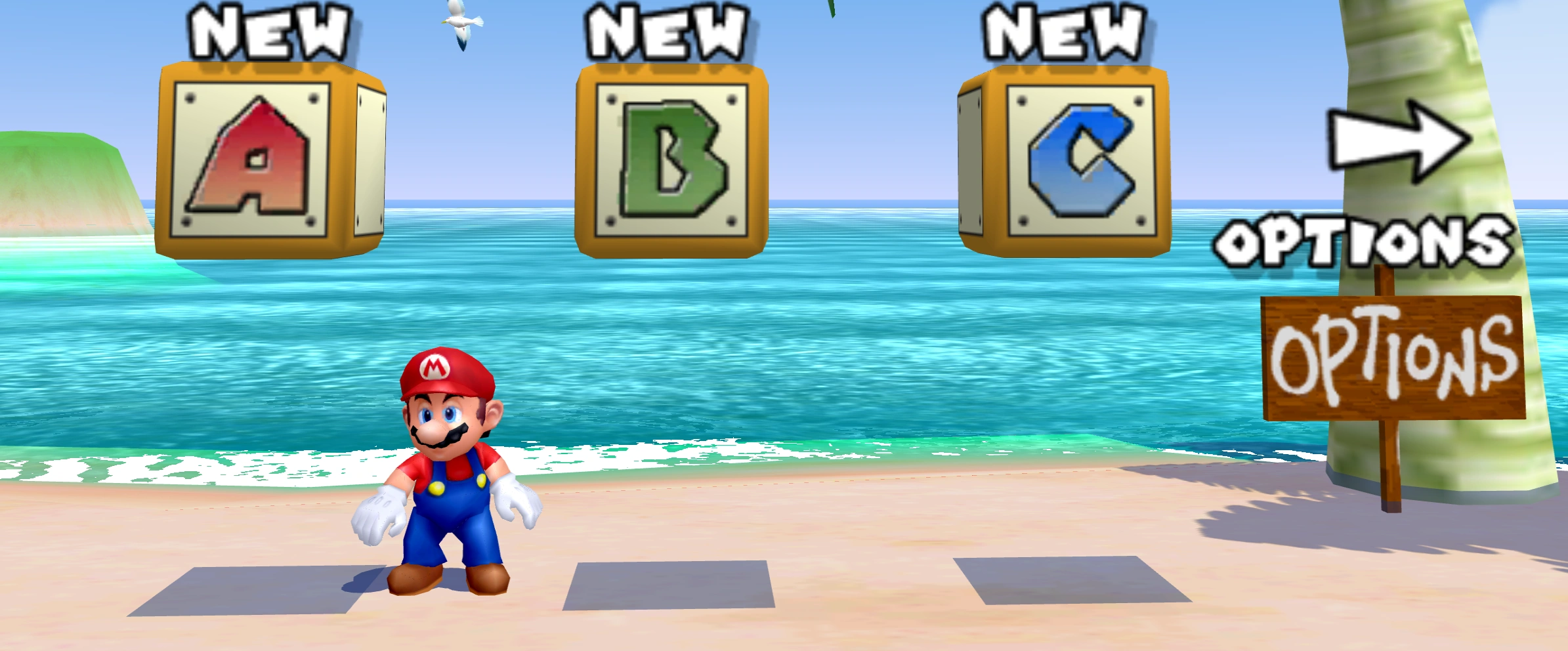
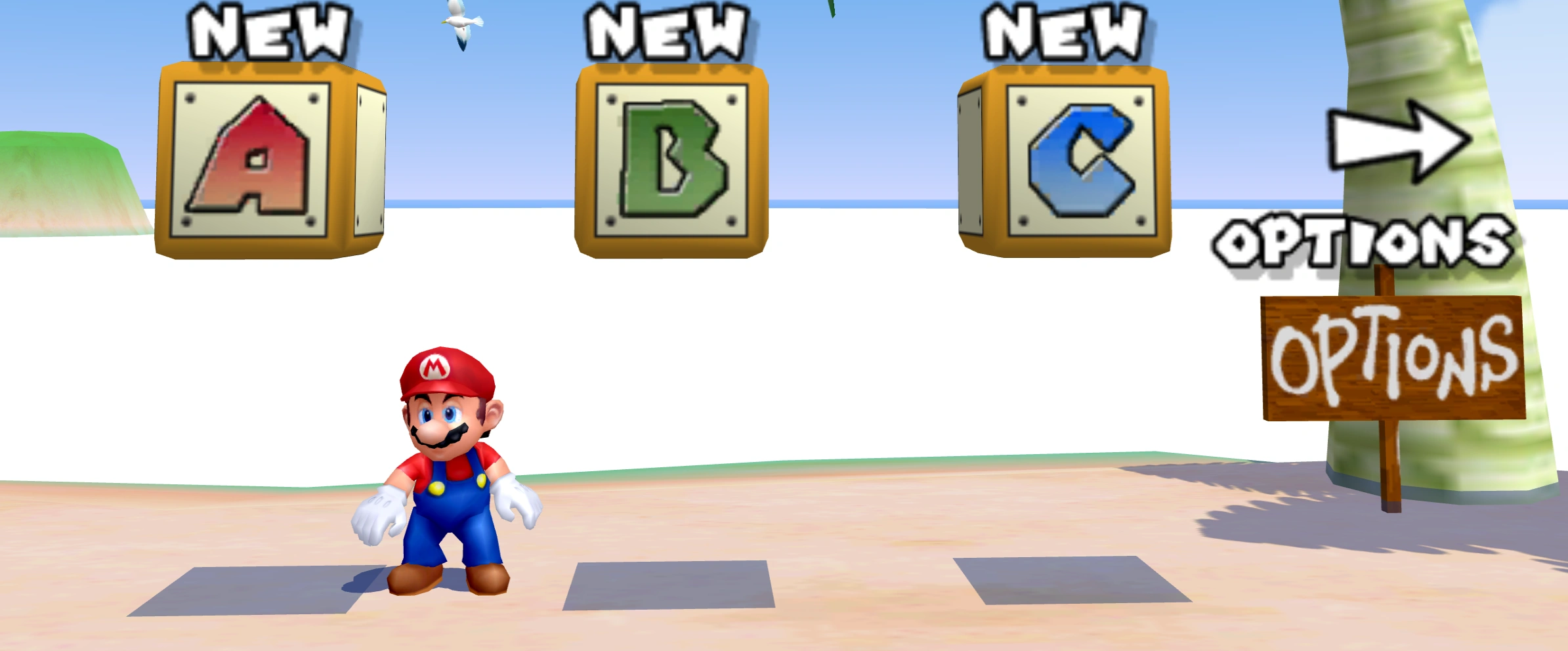
I traced the problem to a material called _mat1_1 in the menu’s map.bmd model. It draws a wave layer over water that is already there. Removing the wave layer reveals the darker water underneath:
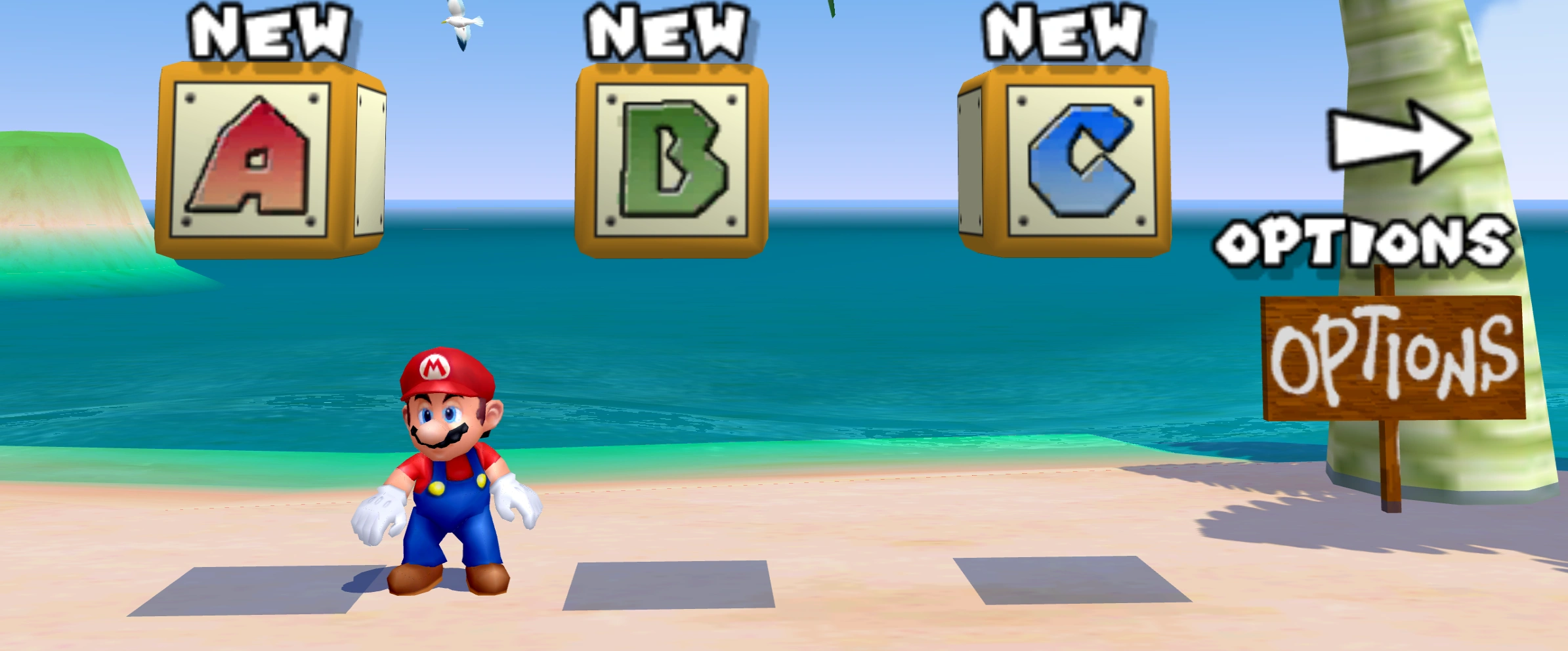
This material reads the same grayscale texture, HAYAwave2, twice at different scales and offsets. Its intensity supplies alpha. Combining those 2 samples gives the wave layer its changing strength across the surface.
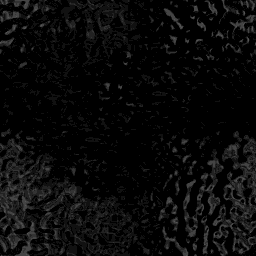
The material has 3 TEV stages again, but they do different work:
- Stage 0 saves the first texture sample in alpha.
- Stage 1 multiplies it by the second sample, adds a constant alpha of 255 and doubles the result, without clamping.
- Stage 2 reads that intermediate alpha as its C input. That input keeps only 8 bits.
Here is 1 pixel from the eyes. The texture samples, rounded into byte units, are 93 and 121. With TEV’s integer rounding, the doubled texture contribution and the stage 1 result are:
The floor brackets mean rounding down. The next stage reads the low byte:
The material’s remaining multiplication preserves that 86. Unlike the eyes, this material’s alpha test accepts every fragment and it enables blending. Its RGB output is white and the configured blend adds that white in proportion to alpha. In normalized 0-1 units, a background color channel becomes:
Different texture samples produce different amounts of brightening. The water underneath stays visible, with a bright wave pattern added to it.
Old Gecko carried the wide value straight into stage 2 instead. In its floating-point calculation, the constant alone contributed before the texture contribution was even added. That oversized alpha made the layer saturate the water to white. Clamping it to fully opaque would still add a full white layer; the low-byte conversion is what recovers the varying wave intensity.
The exact material settings
The alpha inputs are (ZERO, ZERO, ZERO, TEXA), then (ZERO, TEXA, APREV, RASA) at twice scale, then (ZERO, RASA, APREV, ZERO). Raster alpha RASA is 255. The last 2 stages leave clamping disabled.
TEV expands the 8-bit C factor to before multiplying, so 255 can represent exactly 1. Our first sample is below 128, leaving the 93 in the worked calculation unchanged. The final multiplication by raster alpha maps every valid 8-bit C value back to itself.
The source blend factor is SrcAlpha and the destination factor is SrcClr. The material’s RGB result is white, so the destination factor is 1. This is additive brightening, rather than the usual transparency blend that reduces the background’s contribution.
The connection#
Both games need a wide TEV result to become 8 bits. Galaxy needs that conversion at the final output, before the alpha test. Sunshine already needs it when the next stage reads an input.
The distinction matters because an intermediate value can stay wide when used as D, while A, B and C read only its low byte. Making every stored value 8 bits would lose information too early.
These captures all use the integer combiner from the fix. Toggle the input and output conversions independently:
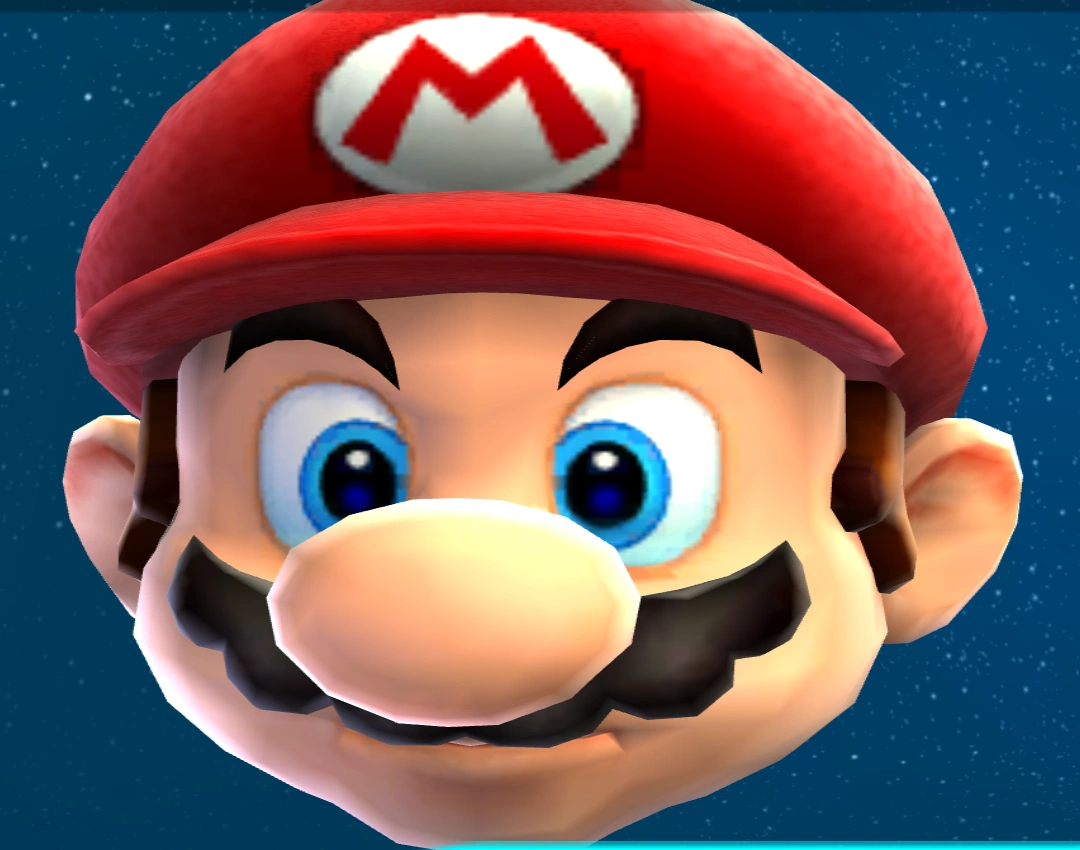
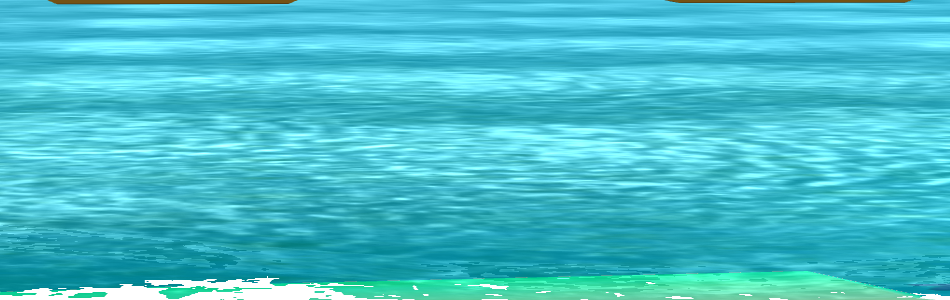
Both conversions enabled. Both materials receive the intended alpha.
Input wrapping restores Sunshine’s water, but Galaxy still loses its eyes: all the eye stage’s inputs are already in range and that stage creates the overflowing result itself. Final output wrapping restores the eyes.
There is a trap in Sunshine, though. Wrapping only at the final output also makes the ocean look almost right. It gives 88 for our example pixel instead of 86, because stage 2 has already performed arithmetic on the incorrectly wide C input. Wrapping afterwards cannot undo that difference. With integer arithmetic and input wrapping, it finally looks right!
A familiar problem#
neobrain actually pointed this out to me on Reddit in my last update post! Dolphin’s Pixel Processing Problems: On the Road to Pixel Perfection, which neobrain co-authored, describes why Dolphin moved its pixel processing to integers and how many games were affected. Likewise, my friend Zayd has also mentioned this problem throughout the months on Discord, I just happen to be a bit lazy :^)
Ohwell, that’s it! Mario gets his eyes back and Sunshine gets its ocean back! Same commit, different uses for those 8 bits :^)
Thank you#
Once again, thank you to Zayd for proof reading and providing valuable insights throughout the development of my emulator! For another look at the subject, I recommend watching his video The Emulator Bug that Removes Mario’s Eyes where he also touches on this subject!