z-freeze and Mario Golf's Disappearing Menu
While working on Gecko, my GameCube and Wii emulator, I noticed that the upper parts of the player selection signs were missing in Mario Golf: Toadstool Tour. Everything below them looked fine.
Look at the portraits just below “MAIN MENU”:
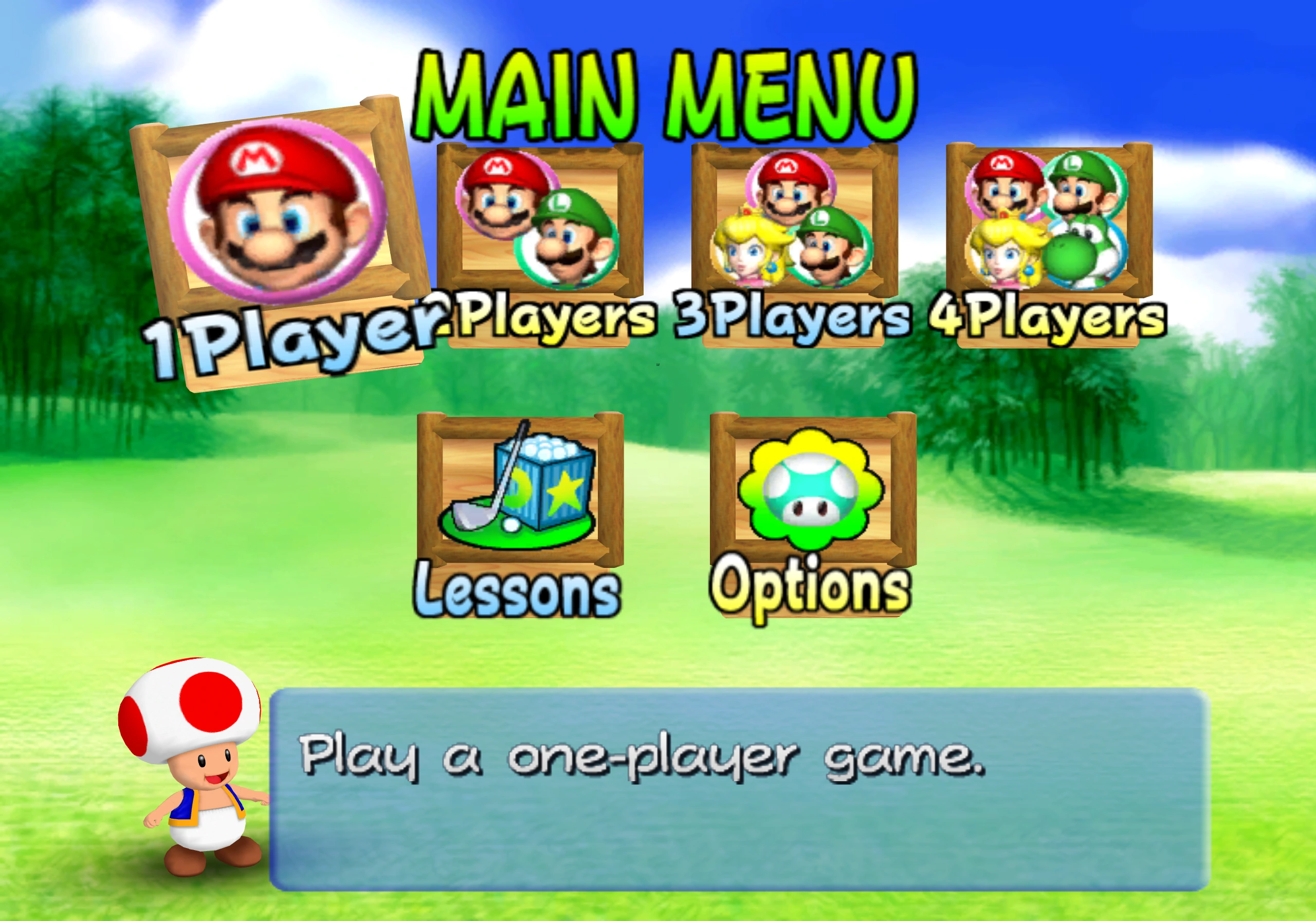
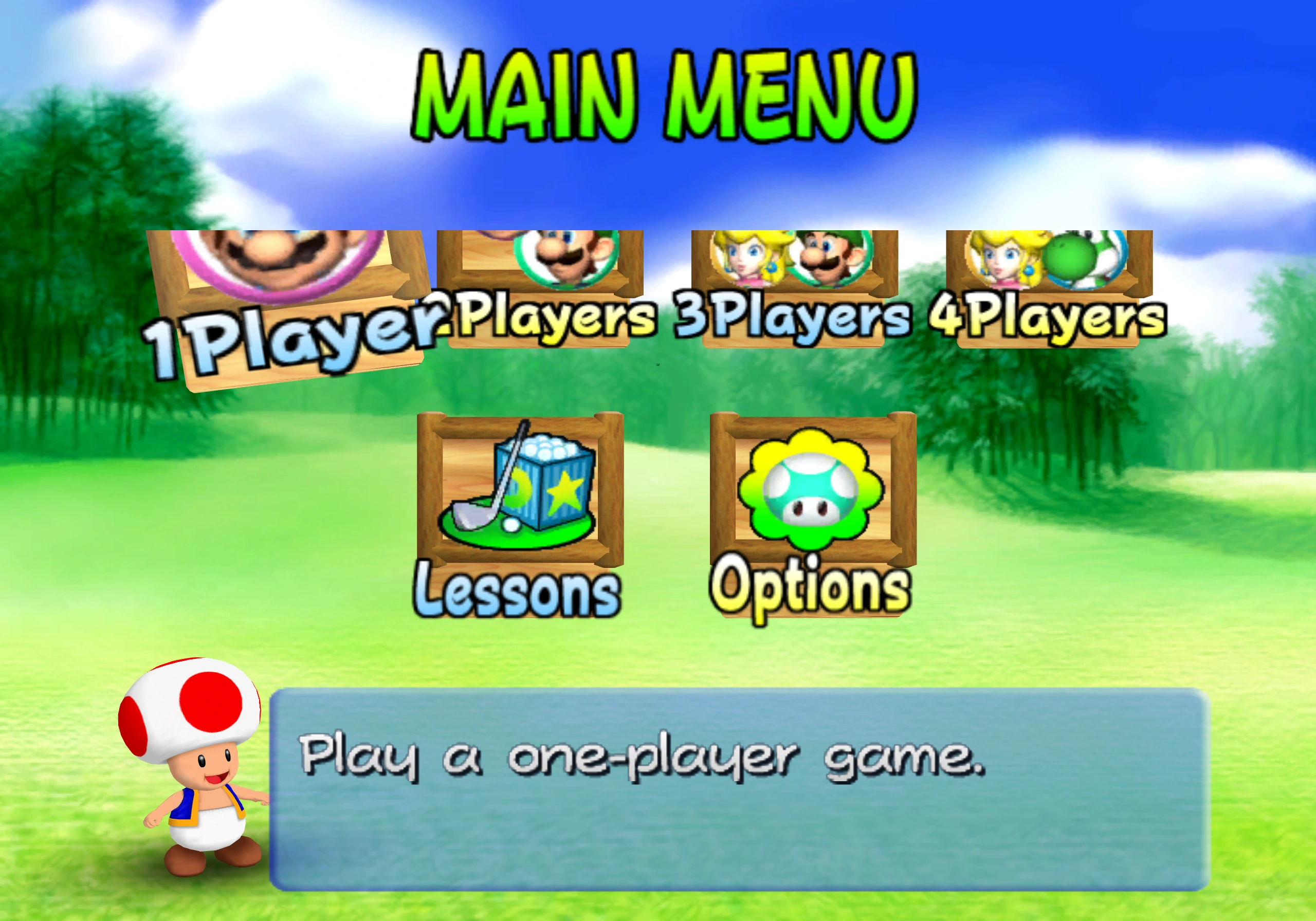
The signs had their full geometry, but a later draw was painting the sky over them because Gecko hadn’t implemented z-freeze, a feature of the GameCube’s graphics processor, GX. Dolphin’s January 2015 report also touches on this topic, I recommend giving it a read!
A bit of background#
A framebuffer stores each pixel’s color, whereas a depth buffer, or Z-buffer, stores how far away the surface at that pixel is.
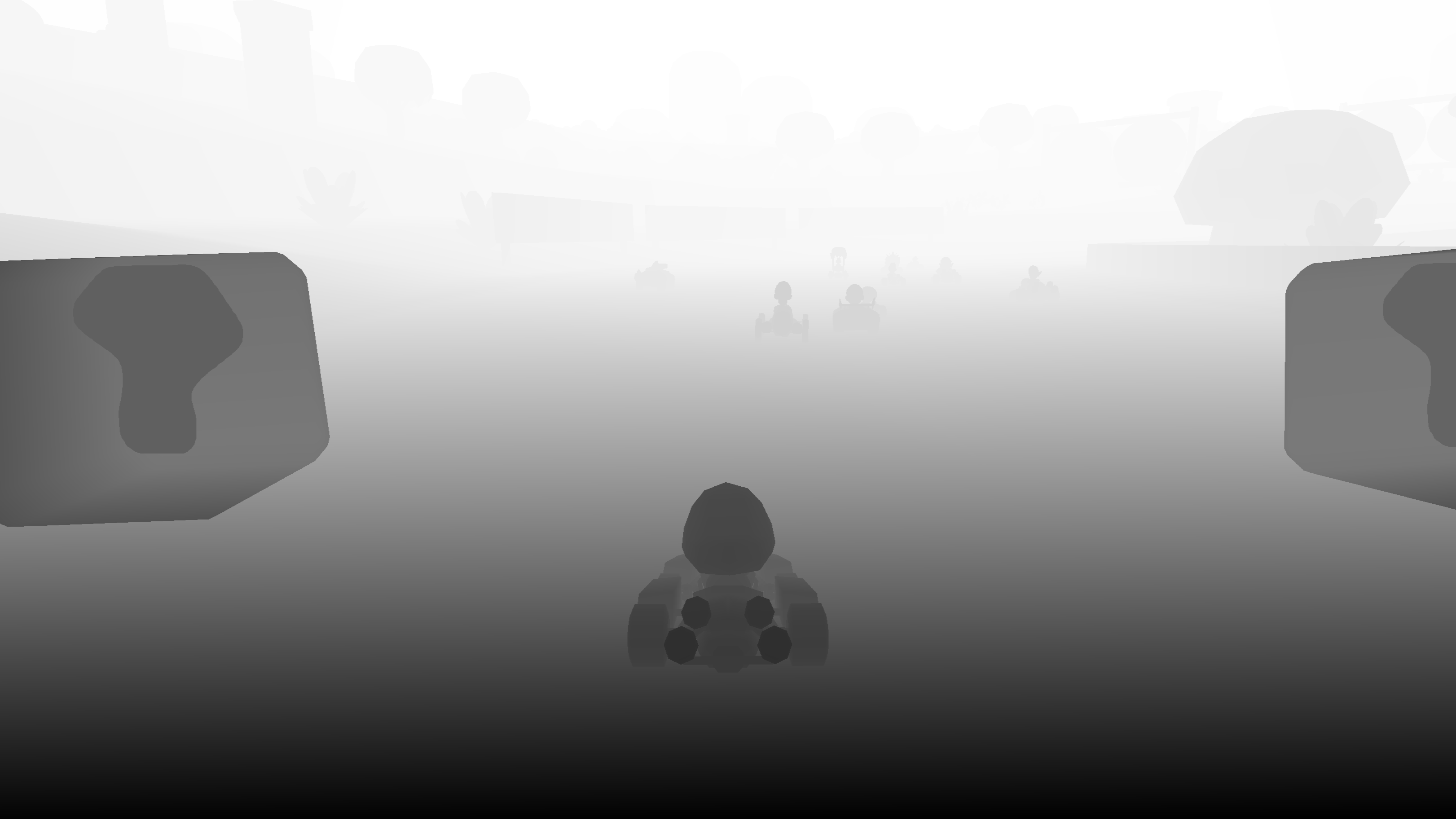
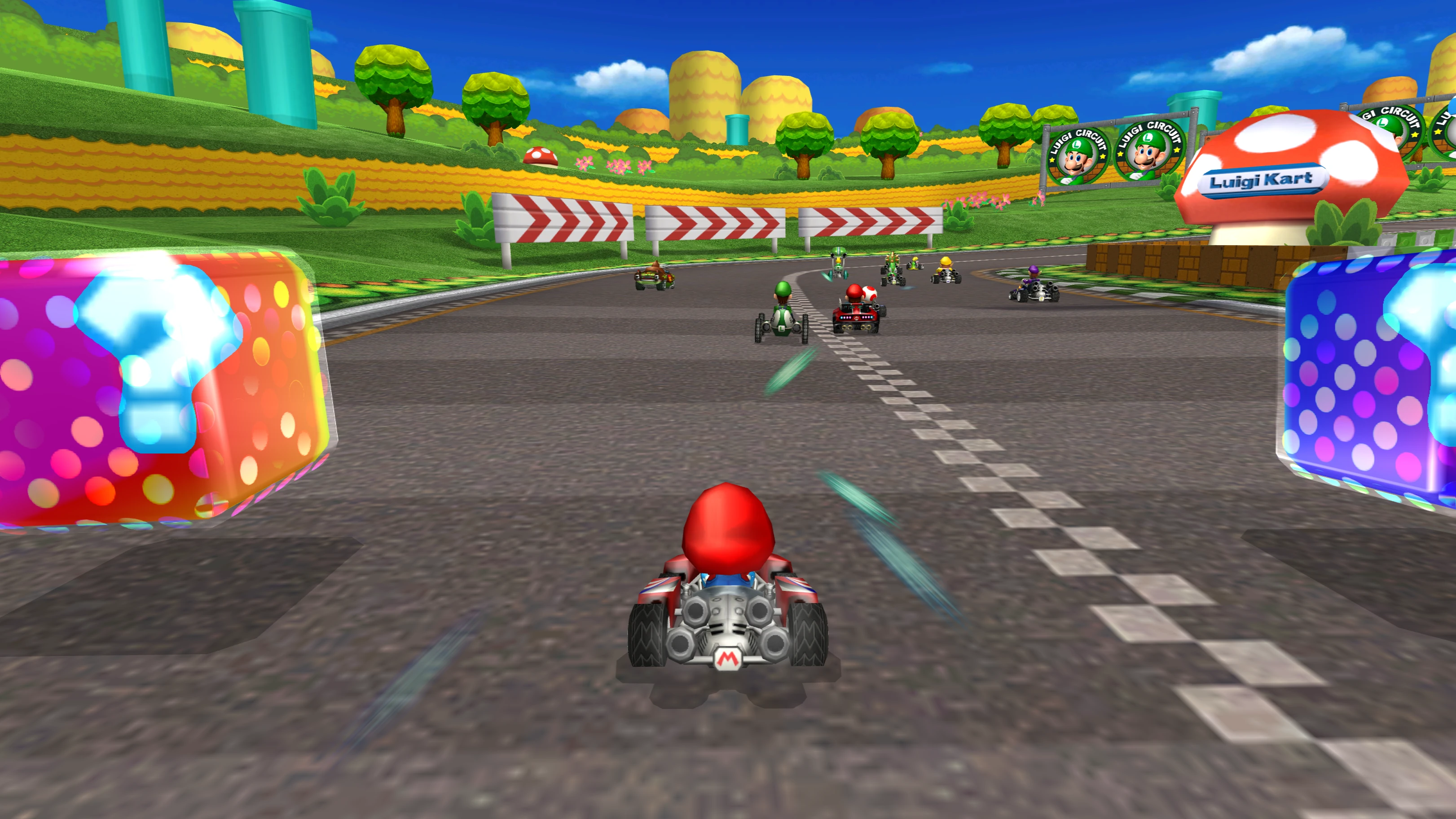
If we draw a red rectangle followed by a larger blue one, blue doesn’t automatically cover red because GX runs a depth test, comparing its depth with the value already stored at each pixel.
For these examples, smaller means nearer and we’ll use the comparison “less than or equal”:
The new pixel passes if this is true, whereas the old pixel stays if it is false.
Blue replaces red if it’s nearer or equally far away and also updates the stored depth if depth writes are enabled. Testing depth and writing depth are separate settings.
Normally, a triangle’s own position determines its depth, but z-freeze lets a later draw use a depth plane established by an earlier triangle instead.
Borrowing depth#
To see what changes, draw 2 panels with these steps, enabling z-freeze only for the final draw in the right panel:
- Draw a red rectangle at depth 0.50, writing both color and depth.
- Draw a tiny triangle at depth 0.75, with color writes and depth writes disabled.
- Draw a larger blue rectangle at depth 0.25, with color and depth writes enabled again.
The tiny triangle doesn’t change any pixels, but it still establishes a depth plane for the blue rectangle to reuse.
On the left, blue uses its own depth of 0.25, so passes and it covers red completely. On the right, blue borrows 0.75 from the reference triangle, so fails and red stays visible. Outside red’s outline, blue still passes against the background’s cleared far depth.
Freezing a plane#
Our reference triangle has the same depth at every corner, but a tilted triangle needs a plane equation instead of a single value:
In this equation, x and y are screen coordinates, A and B describe the horizontal and vertical slopes and C sets the depth at the origin. The coefficients come from the triangle’s 3 vertices after they’re transformed to screen coordinates: the equation must give the right depth at every corner.
For example, take these 3 corners, written as :
At , that gives . With z-freeze enabled, the next shape evaluates this same equation, including for pixels beyond the original triangle’s edges. The calculated value can then fall outside the depth buffer’s range, which needs another step before the depth test. Any 3 corners determine a unique plane this way unless they collapse into a line or point on screen.
New triangles can replace the reference plane while z-freeze is off, whereas enabling it preserves the last plane. The next draw still has its own outline, colors and texture coordinates, but gets its depth from the saved equation.
Try switching between a flat and sloped reference in the graph below, which follows the rectangle’s center row with depth increasing downward.
Blue uses the saved depth 0.75 and fails against red's 0.50.
With the sloped reference, blue is nearer on the left and farther away on the right because the frozen equation still gives a different result at each pixel. This example stays within the 0-1 depth range, where depth tests and writes work as described above.
Back to Mario Golf#
The game’s menu does something similar to the rectangle example:
- Draw a small shape to establish a depth plane.
- Enable z-freeze.
- Draw the sky over the top 112 framebuffer rows using that saved plane.
The signs take the role of our red rectangle and the sky takes the role of blue, but Gecko used the sky’s own near depth and let it cover the signs. That draw ended at row 112, explaining the straight cutoff.
With z-freeze, the saved depth puts the sky behind the signs, so the sky fails the depth test where they overlap. It still passes against the cleared background and fills the space around them.
Depth values
The saved plane was approximately:
is the console’s 24-bit depth value, ranging from 0 to 16'777'215. At pixel on Mario’s sign, the depth buffer contained 16’641’130, whereas the sky’s own depth was 0. Without z-freeze, passed, so the sky covered the sign.
With z-freeze enabled, the sky uses the saved equation instead. The center of that pixel is at , giving us:
Since , the sky fails the depth test and the sign stays visible.
On our earlier 0-1 scale, the sign is at about 0.9919 and the sky at 0.9987, so the sky is farther away. At a background pixel on the same row, the stored depth was 16'777'215, so still passes. The sky fills the background while leaving the sign alone.
Decals in Mario Power Tennis#
The fix also stopped the floor decals flickering on Mario Power Tennis’s Plaza court. A decal is a detail drawn over a surface, like a sticker on a floor, whose depth is often nearly identical to the surface beneath it. Rounding differences can then make them take turns winning the depth test, causing Z-fighting, whereas sharing a depth plane keeps the comparison consistent.
When the plane overflows#
Mario Golf looked right, but hazelwiss found another problem when testing steeper planes and different reference primitives on hardware. Gecko left the whole red rectangle visible in the sloped cases, whereas the Wii covered part of it with blue.
The reference vertices were still between 0 and 1. Extending their plane beyond the triangle was what pushed the calculated depth out of range: a slope of 0.5 every 8 pixels gives just 32 pixels past a corner at depth 0.25.
Gecko clamped that result to the maximum depth, putting blue behind red. To find out what the Wii was doing, we used a test that writes depth with GX_ALWAYS, then reads it back with GX_PeekZ. The horizontal and vertical tests gave the same readings in
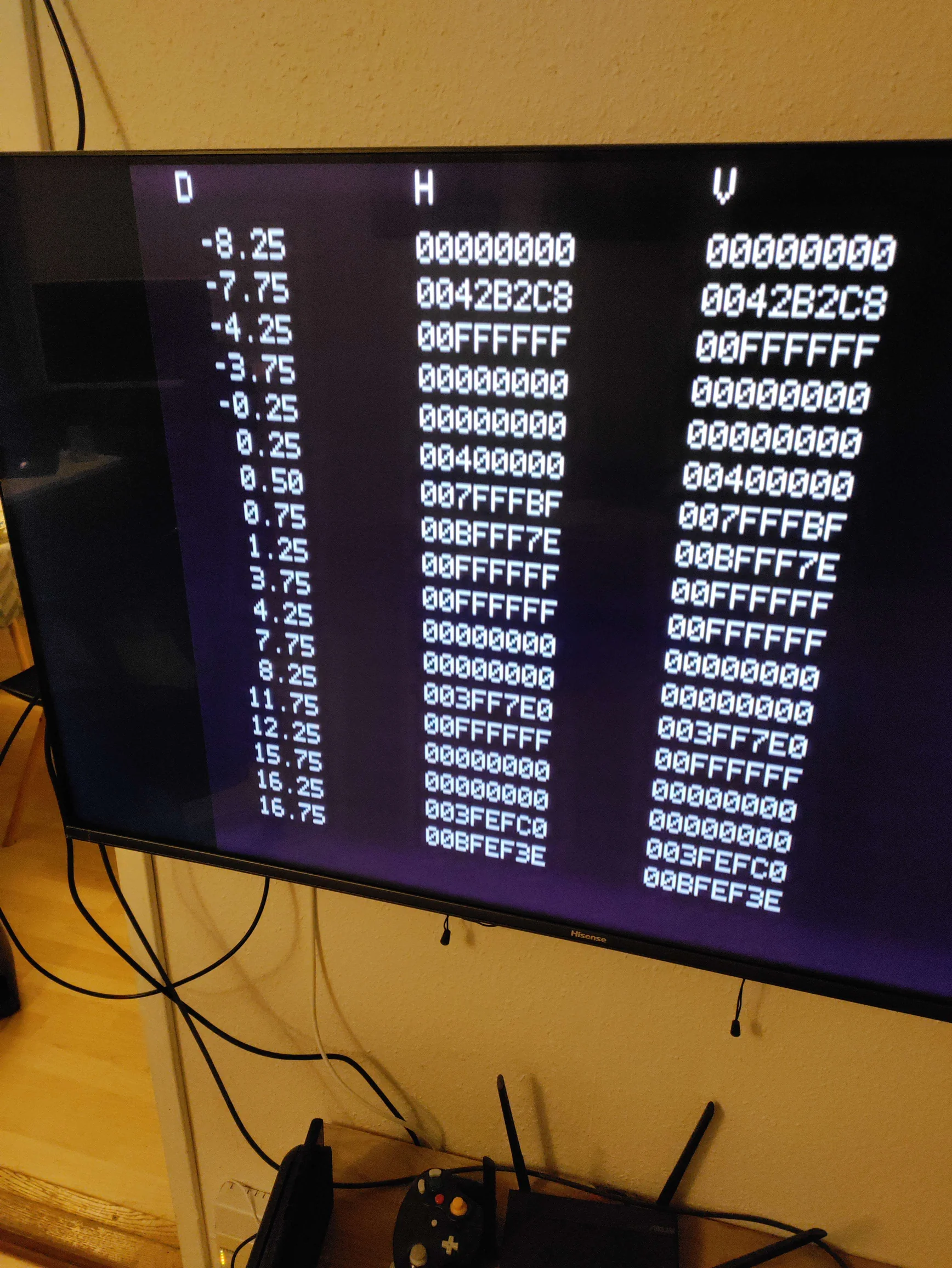
| Plane depth | Wii Z24 | Rounded |
|---|---|---|
| 0.25 | 0x400000 | 0.25 |
| 1.25 | 0xFFFFFF | 1 |
| 4.25 | 0x000000 | 0 |
| 8.25 | 0x3FF7E0 | 0.25 |
| 12.25 | 0x000000 | 0 |
| 16.25 | 0x3FEFC0 | 0.25 |
If the Wii only clamped, every value above 1 would become the maximum. Instead, 4.25 became 0 and 8.25 came back close to 0.25. Something was changing the value before it reached that limit.
There was a pattern too: 0.25, 8.25 and 16.25 all came back close to 0.25, while 4.25 and 12.25 both became 0. That fits a value overflowing every 8 depth units before being clamped.
A signed 27-bit intermediate would explain it. The depth buffer stores 24 bits, so 1 unit on our normalized scale corresponds to raw units. With 27 bits, the calculation would roll over after raw units, or:
Because it’s signed, that range runs from -4 to just below +4. Going past +4 starts again at -4, making 4.25 become -3.75. Clamping then turns it into 0. At 8.25, a complete cycle has passed and we’re back at 0.25.
That’s enough to fix this case, but it doesn’t prove the hardware uses a signed 27-bit value internally. Some of the exact depth readings still differ. The earlier Mario Golf example stays within the normal depth range, so its explanation doesn’t change.
Implementing it#
Homebrew using libogc enables the feature with GX_SetCoPlanar(GX_ENABLE). You can try the red and blue example yourself by checking out the revision of the original 2-panel test, building it with make z-freeze and running build/z-freeze.dol.
Gecko’s plane calculation and depth shader with overflow handling contain the implementation. I’ve also written about the triangle stretching out of Luigi’s hand in the vertex-skip post.
All that trouble over a triangle that doesn’t draw any pixels :^)
Thank you#
A big thank you to Zayd for taking the time to proofread this post. He’s the creator of beanwii and also makes some really cool videos about emulation on his YouTube channel. If you enjoyed this post, go check them out!
Thanks also to hazelwiss for testing this on real hardware and comparing the results with the emulators. Those tests caught the overflow behavior that the first implementation missed and gave us actual depth readings to work from.